
Shoemate
Shoe e-commerce · Online
At a glance
Best for: shoe sellers who want customers to find the right pair by brand, size and fit, then check out without a phone call.
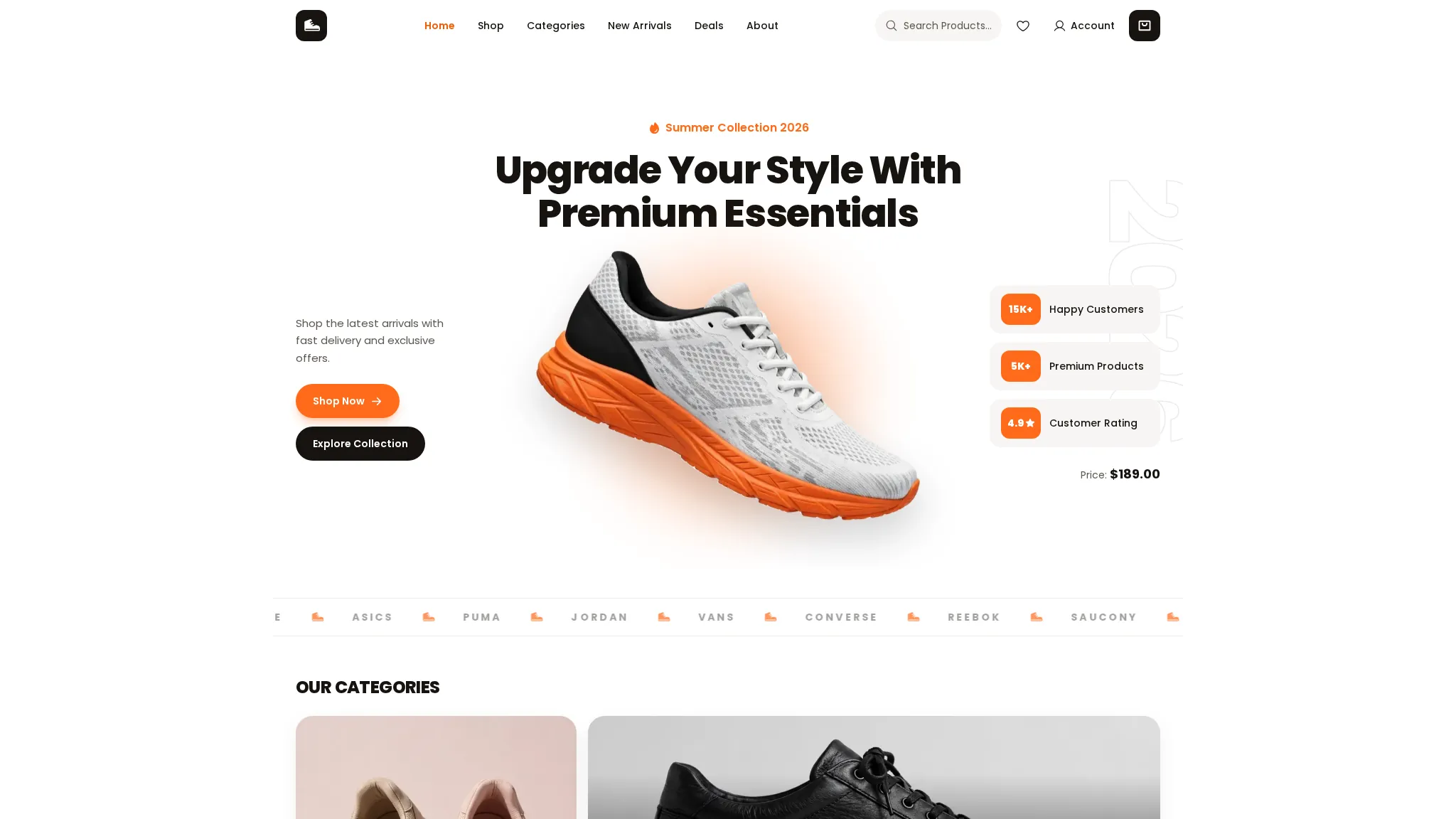
Shoemate is a shoe-store demo: 12 products across 12 brands, shop filters and search, a cart and wishlist, compare, rewards and a fit finder. The three-step demo checkout issues an order number starting with SM- and the order can be tracked on the site. Everything runs in the browser as a working demo — no payment is taken and no shoes are shipped.
The problem
Demo scenario — a typical situation for this kind of business, not a real client's problem.
A typical shoe-shop problem: customers keep asking the same questions — is this in my size, how does it fit — because the catalogue lives on social media with no sizes or prices; orders come in by message, so sizes get mixed up, and there is no tracking link after a sale. A shop showing sizes, fit help and order status in one place would end most of that. This is a demo scenario — Shoemate is not a real shop and had no real customer problem to solve.
How we approached it
- 1 Shop by brand and category with filters and search, plus a fit finder and size guide, instead of a plain product grid. Shoe buyers filter by brand first and worry about fit second. Giving them both up front cuts the messages asking whether a pair runs true to size.
- 2 A three-step demo checkout with no payment step, and demo tracking that lives in the browser only. The demo shows the full journey — cart, checkout, confirmation, tracking — without taking money or card details. A real shop would connect its own payment provider and courier.
- 3 The SHOEMATE10 promo code and a rewards page, so the demo shows how a store brings a first-time buyer back. A code on the first order and rewards for returning are the simplest retention tools a shoe shop has. Both are live in the demo, so a visitor can try them rather than take our word for it.
What the demo includes
- Shop with filters, search and 12 brand pages
- 12 product pages with size guide
- Cart, wishlist and three-step demo checkout
- Compare up to three pairs
- Fit finder tool
- Rewards, gift cards and drops pages
- Order tracking with SM- order numbers
- Blog with three guides
What you can try
- 1 Filter the shop by brand and open a product page to check its sizes
- 2 Use the fit finder and read the size guide before adding shoes to the cart
- 3 Apply SHOEMATE10 at the demo checkout and note your SM- order number
- 4 Paste the order number into /track/ to see the demo tracking status
Limitations
- Demo data only — the shoes, prices and stock are illustrative, and the contact email is labelled a placeholder, not a live inbox
- No real orders, payments or deliveries are made — tracking works only for orders placed in this browser
- The quotes on the home page are labelled sample quotes, not real customer reviews at all
- No client results or metrics exist yet — this demo has never run a real shoe shop, so nothing about sales or fit can be claimed
Your next step
Want a shoe store like this? Order the Catalogue / Menu Website service and we will build it with your real products, sizes and payment setup.
The project
A shoe e-commerce store — shop with filters and search, cart and wishlist, three-step demo checkout, compare, rewards and a fit finder.
The story
Shoppers can filter shoes by brand and category, compare up to three pairs, check out with a promo code and track the order.
What we built
- Shop with filters & search
- Cart, wishlist & demo checkout
- Compare, rewards & gift cards
- Fit finder & brand pages
 View case study MSY Law Tax law firm · Online
Contact us
Questions before ordering? Message us — we reply on WhatsApp.