
Flavoro Restaurant
Restaurant · Online
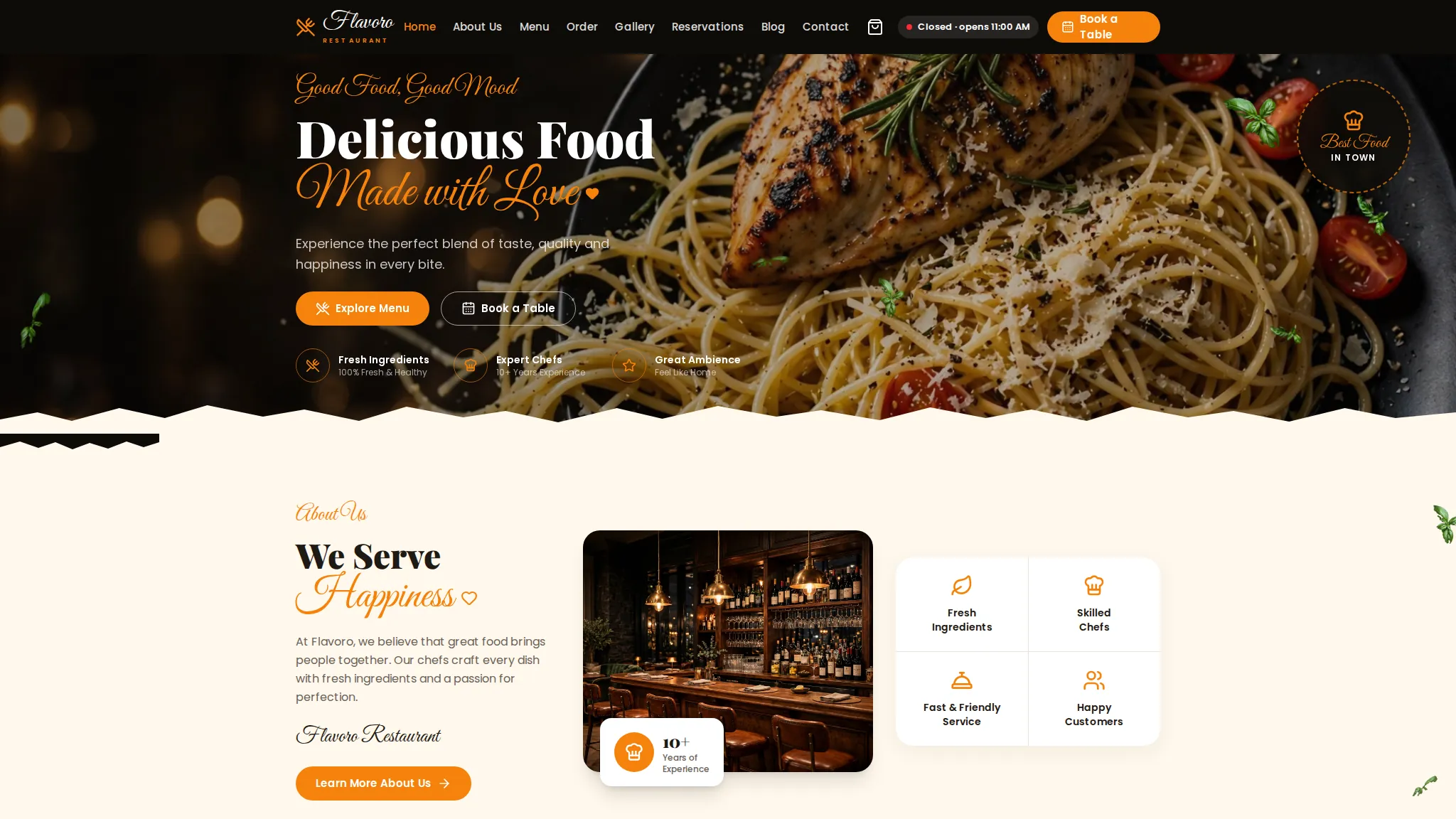
At a glance
Best for: restaurant owners who want customers to browse the menu, order online and book a table without calling.
Flavoro is a complete restaurant demo site: a menu with online ordering and a cart, table reservations, catering and private dining pages, gift cards, a gallery and a blog. Everything runs in the browser as a working demo — you can add dishes to the cart and fill in a reservation form, but nothing is a real order.
The problem
Demo scenario — a typical situation for this kind of business, not a real client's problem.
A typical restaurant problem: the menu lives as a PDF or a social-media post, so customers can't see prices or dietary options before they visit; orders and table bookings come in by phone, which ties up staff during service; and catering or private-dining enquiries get lost in messages. This is a demo scenario for this kind of business — Flavoro is not a real restaurant and had no real customer problem to solve.
How we approached it
- 1 One site for the whole customer journey — menu, ordering, reservations, catering and gift cards — instead of separate pages or links. A restaurant visitor usually decides everything in one visit: what to eat, whether to book, and whether to order. Splitting those across tools loses people at each step.
- 2 Ordering and reservations stay in the browser as a demo, with a clear demo note and no payment step. The point of the demo is to show the flow, not to take money. A visitor can try the full journey safely, and a real restaurant would connect its own ordering and payment provider.
- 3 Dietary tags (Veg, Vegan, Gluten-Free, Spicy) on menu items, plus an open-now indicator. Dietary information is usually the first thing a customer checks after price, and opening hours decide whether they order now or later — so both sit on the menu, not buried in a FAQ.
What the demo includes
- Menu with dietary tags and dish pages
- Online ordering with cart (demo checkout, no payment)
- Table reservations form
- Catering and private-dining pages
- Gift cards page
- Photo gallery
- Blog
- Contact page with opening hours and open-now indicator
What you can try
- 1 Add a dish to the cart on /order/ and go through the demo checkout — no payment is taken
- 2 Fill in the reservation form on /reservations/ and see the confirmation flow
- 3 Filter the menu by Veg, Vegan or Gluten-Free
- 4 Open /catering/ and /private-dining/ to see how event enquiries are presented
- 5 Check the opening-hours indicator on the home page
Limitations
- Demo data only — the dishes, prices, reviews and opening hours are illustrative, and the contact details (+1234 567 8900, 123 Food Street, [email protected]) are placeholders
- No real orders, payments or table bookings are made — the order flow is confirmed on your device only
- The testimonials on the site are labelled samples, not real guest reviews
- No client results or metrics exist yet — this demo has never run a real restaurant, so nothing about sales or bookings can be claimed
Your next step
Want a restaurant website like this? Order the Catalogue / Menu Website service and we will build it with your real menu, prices and booking setup.
The project
A full restaurant site — menu with online ordering and cart, table reservations, catering, private dining and gift cards.
The story
Visitors can browse the menu, order online, book a table, explore catering and private dining, and buy gift cards.
What we built
- Menu with online order & cart
- Table reservations page
- Catering & private-dining pages
- Gift cards & gallery
 View case study ShopMate General e-commerce · Online
Contact us
Questions before ordering? Message us — we reply on WhatsApp.